★ The RhinoArtisan Blog
AI
AI Jewelry Design in 2026: Pictures Are Not a Model
Book a demo with our teamSeptember 9, 2026 · RhinoArtisan · Learn
“AI jewelry design” usually means a pretty picture. A prompt, a render, a ring that looks finished and cannot be sized, priced or cast.
That is not design. Design is a model: stones on the right layers, metal you can weigh, walls you can print, a quote the client can say yes to.
In 2026 the useful question is not “does it look like jewelry?” It is: does the AI reach real jewelry tools, and can you still edit the result?
Pictures versus a piece you can make
Image models are good at mood. They are bad at a 1.50 ct oval that must sit in a basket, at a size 7 shank, at a production report.
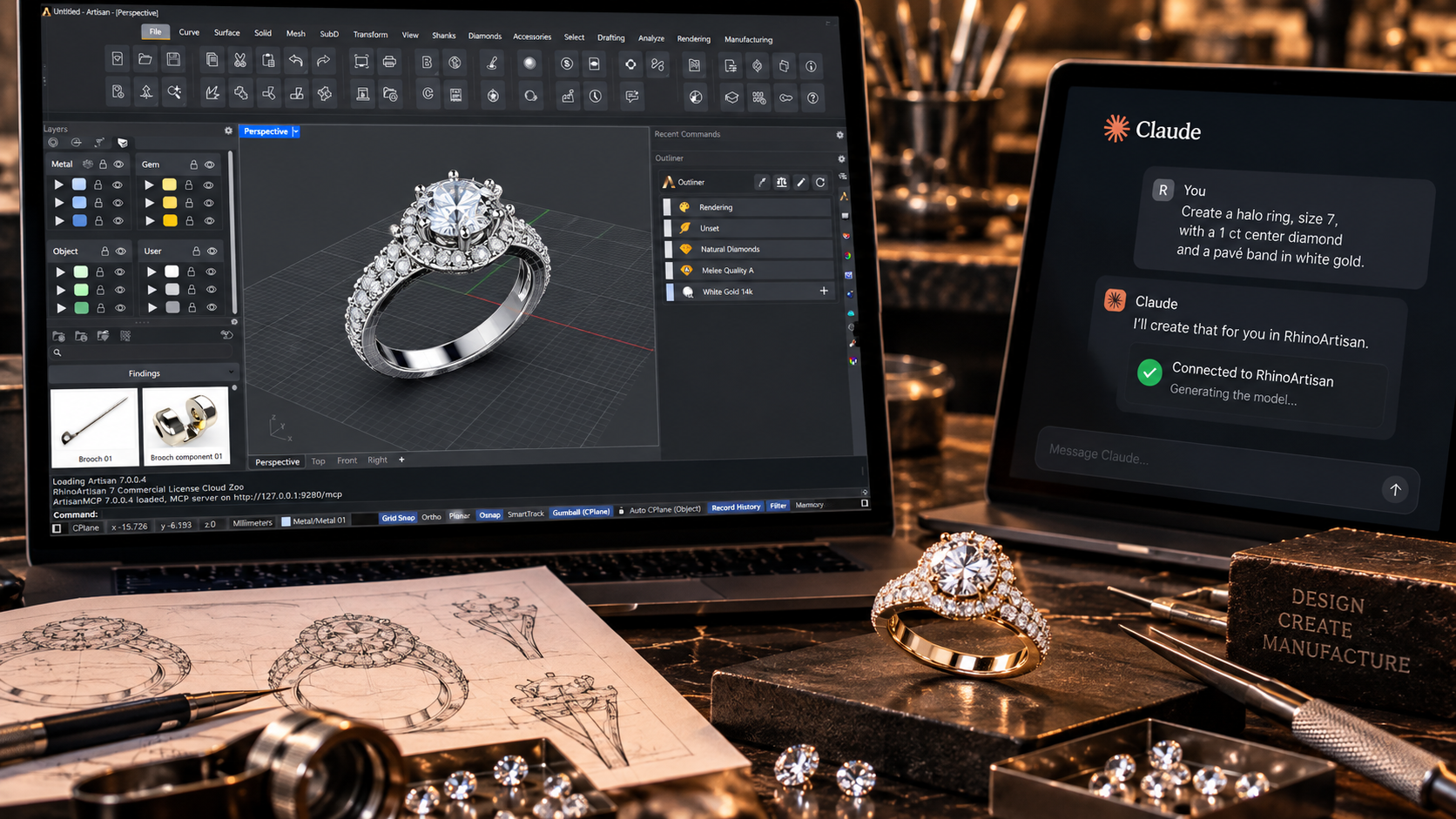
If the output is pixels, you still have to model the ring. If the output is geometry (parametric, same engines you use by hand) you are already in the workflow: retail, design, manufacture.
That is the bar we use. AI that describes the work is a chatbot. AI that does the work leaves a model you can open tomorrow.
Three doors into the same idea
RhinoArtisan 7 does not treat AI as a side app. It reaches the tools you already use.
Assistant, inside the piece. Built into RhinoArtisan. It already knows the file you have open. Change the centre stone, ask for weight in 18k, set the size, prepare the report. Anything that changes the document is proposed first (Apply or Cancel). No extra workstation, no dedicated GPU.
MCP: Claude, ChatGPT, Gemini or Copilot on your tools. If the conversation started in the assistant you already pay for, it can call the same jewelry commands: gems, settings, weights, live diamond quotes, print checks, sprues, STL. The geometry stays editable. We wrote that story here: Design Jewelry with Claude, ChatGPT or Gemini.
Generative studio, then jewelry CAD. Images, video and organic 3D when you need a look, a clip or a starting mesh (a lion head, a relief, a campaign still). Then you bring it back: Sculpt, settings, shanks, manufacturing. The picture is a sketch. The model is the job.
Process first, AI last: the same loop we talked about at The Jewellery Show. Retail to designer to manufacturing, one source of information. AI sits on that loop. It does not replace it.
Who this is for
Designers who want the next edit on real NURBS, not a paragraph about how a halo “might” work.
Retailers who need a piece the client can approve at the counter: stone, size, price, then the same file to production.
Manufacturers who inherit that file and still need thickness, weight, a watertight mesh and a report.
If your “AI jewelry design” cannot survive those three rooms, it is a moodboard.
Start with a real file
Try RhinoArtisan free for 15 days. Open a ring you already have, and ask for something the shop actually needs: a stone change, a weight, a quote.
Full picture of the AI release: What’s New in RhinoArtisan 7.0. For Claude and the other assistants outside Rhino, start with RhinoArtisan MCP.
Design it. Manufacture it. Sell it.
Try RhinoArtisan free for 15 days
Full access to every tool. No credit card required. Works with your existing Rhino installation.
Setup takes less than 2 minutes
Talk to us
Let's talk about what you want to achieve.
Book a free 30-minute one-to-one session with a RhinoArtisan specialist. Tell us about your work, your challenges and what you would like to achieve, and we'll help you find the best way forward.